Understanding Key Linux Directories: /etc, /var, /bin, /home, /usr, and /tmp for Developers
1️⃣ /etc — System Configuration Files
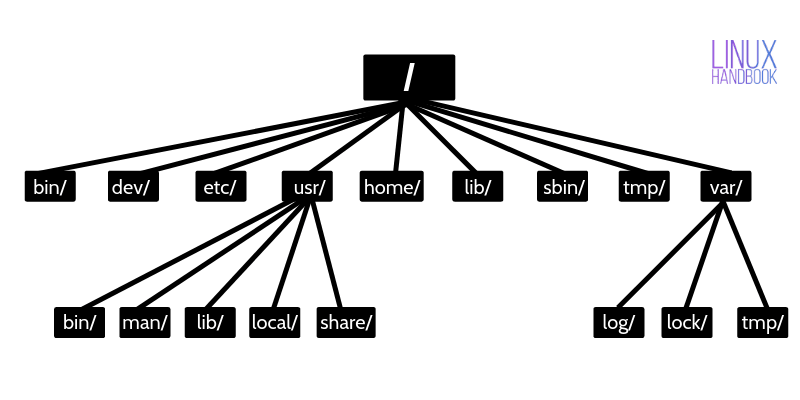
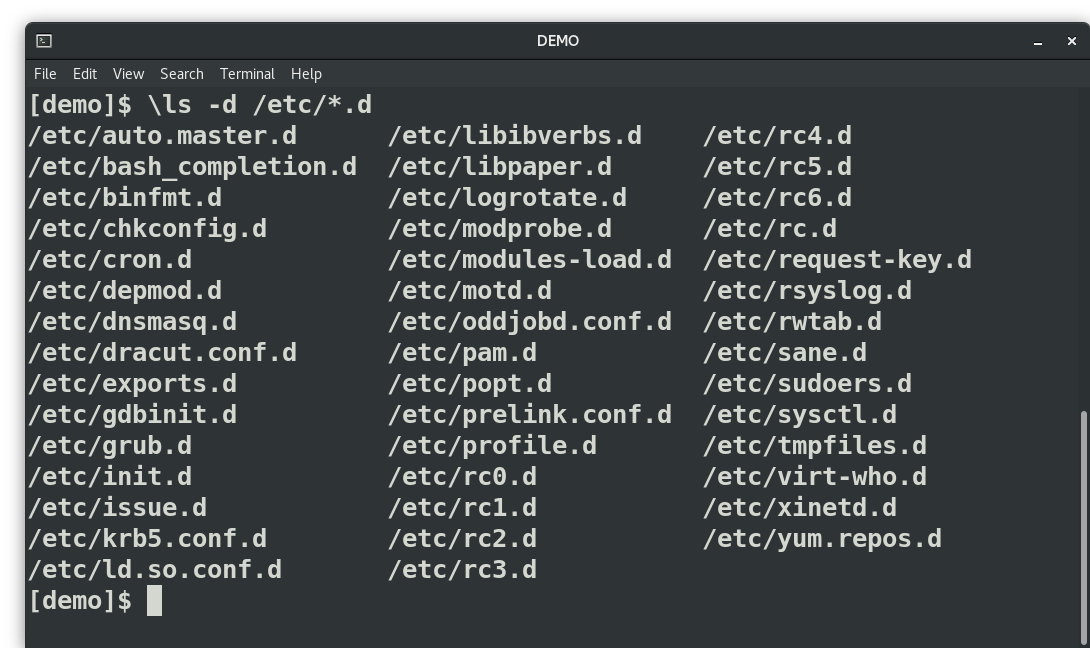

What it contains
/etc stores system-wide configuration files.
These files control how services, applications, and the OS behave.
Important files inside /etc
| File | Purpose |
|---|---|
/etc/passwd |
List of system users |
/etc/shadow |
Encrypted user passwords |
/etc/hosts |
Local DNS mapping |
/etc/resolv.conf |
DNS server configuration |
/etc/fstab |
Filesystem mount configuration |
/etc/ssh/sshd_config |
SSH server configuration |
/etc/nginx/ |
Nginx server config |
/etc/systemd/ |
Service manager configs |
Example
View DNS configuration:
cat /etc/resolv.conf
Example output:
nameserver 8.8.8.8
nameserver 1.1.1.1
When developers use /etc
1️⃣ Configure services
Example: Change SSH port
/etc/ssh/sshd_config
2️⃣ Configure web servers
Example:
/etc/nginx/nginx.conf
/etc/apache2/apache2.conf
3️⃣ Add host mapping
Example:
/etc/hosts
Add:
127.0.0.1 myapp.local
Used for local development testing.
2️⃣ /var — Variable Data (Logs, Runtime Data)


What it contains
/var stores data that changes frequently.
Examples:
logs
caches
databases
mail
temporary runtime files
Important directories inside /var
| Directory | Purpose |
|---|---|
/var/log |
System logs |
/var/lib |
Application data |
/var/cache |
Cached data |
/var/spool |
Queued jobs (mail, print) |
/var/tmp |
Temporary files |
Very important for developers
Most debugging happens here.
Example: Check logs
cd /var/log
ls
Common logs:
| Log | Use |
|---|---|
/var/log/syslog |
System events |
/var/log/auth.log |
Login attempts |
/var/log/nginx/ |
Nginx logs |
/var/log/apache2/ |
Apache logs |
Example:
tail -f /var/log/syslog
Used for real-time debugging.
DevOps Example
If a Docker container fails, you might check:
/var/log/docker.log
If Nginx returns 500 error
/var/log/nginx/error.log
3️⃣ /bin — Essential User Commands


What it contains
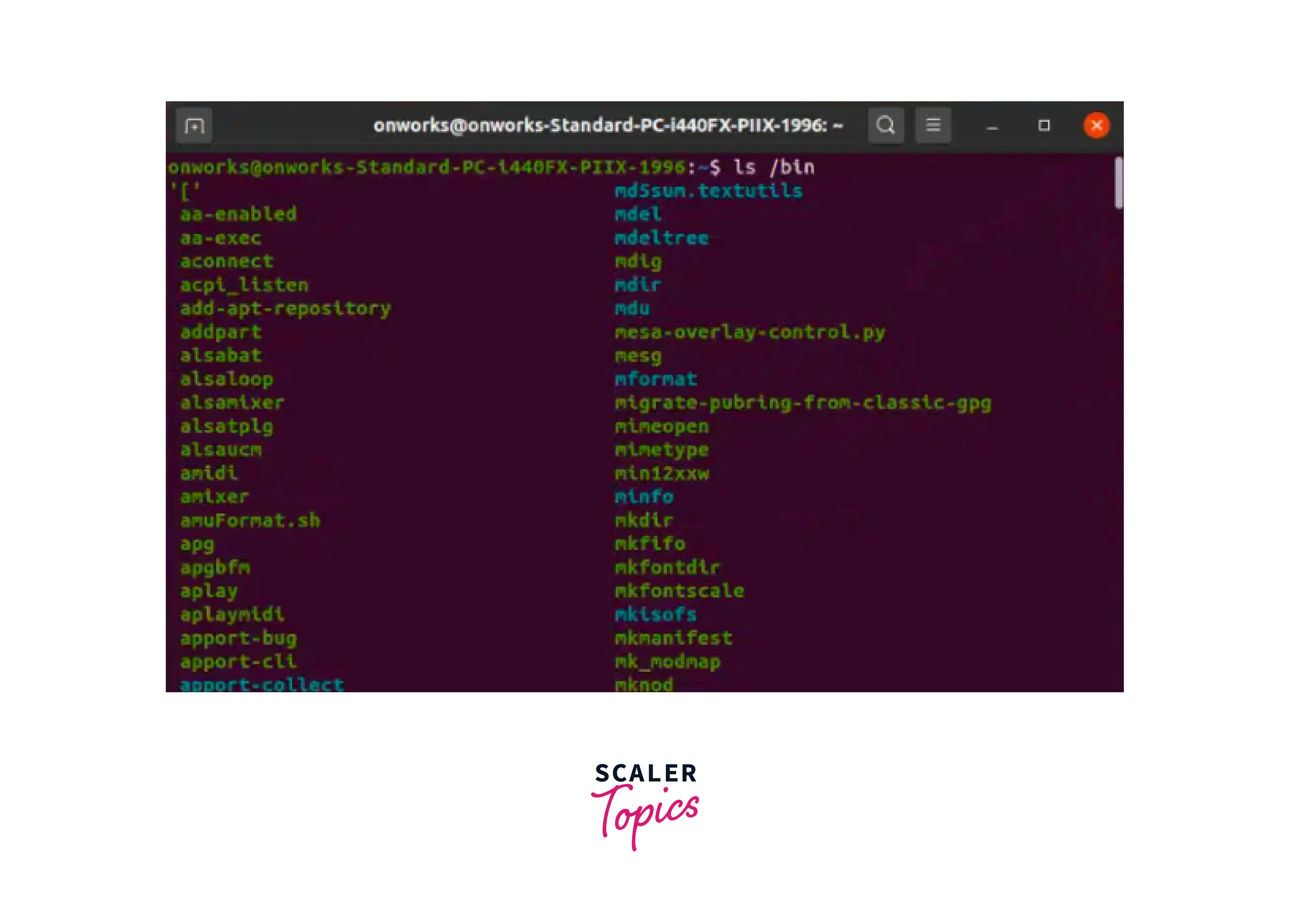
/bin contains essential binary executable commands required by the system.
These commands are used by all users.
Examples inside /bin
| Command | Use |
|---|---|
ls |
list files |
cp |
copy files |
mv |
move files |
rm |
remove files |
cat |
display file |
echo |
print text |
mkdir |
create directory |
chmod |
change permissions |
Example:
ls /bin
Output example:
bash
cat
cp
ls
mkdir
rm
touch
When developers use /bin
Mostly every day.
Example:
ls
cp
mv
rm
cat
These commands come from /bin.
4️⃣ Quick Summary (Very Important for Interviews)
| Directory | Stores | Used For |
|---|---|---|
/etc |
Configuration files | Change system/service configs |
/var |
Logs and dynamic data | Debugging and monitoring |
/bin |
Essential commands | Running basic Linux commands |
5️⃣ Real DevOps Example (Production Debugging)
Imagine your website is down.
Step 1 — Check service config
/etc/nginx/nginx.conf
Step 2 — Check logs
/var/log/nginx/error.log
Step 3 — Run command
systemctl restart nginx
✅ Key idea
/etc → configuration
/var → logs and runtime data
/bin → commands
4. /home — User Personal Directory


4
What /home stores
/home contains personal directories for each user.
Example:
/home/lav
/home/ubuntu
/home/devuser
Each user gets their own workspace here.
Example:
ls /home
Output:
lav
ubuntu
developer
What files exist inside /home
Example:
/home/lav
 ├── Documents
 ├── Downloads
 ├── projects
 ├── .bashrc
 ├── .ssh
 └── .config
Important hidden files
| File | Purpose |
|---|---|
.bashrc |
Shell configuration |
.profile |
Login environment |
.ssh/ |
SSH keys |
.gitconfig |
Git configuration |
Check hidden files:
ls -a
Developer Use Cases
1️⃣ Store projects
Example:
/home/lav/projects/my-app
Developers store:
code
docker files
git repositories
Example:
git clone https://github.com/project/app.git
2️⃣ SSH keys for Git / servers
Location:
/home/lav/.ssh
Example:
id_rsa
id_rsa.pub
known_hosts
Used for:
GitHub authentication
server login
Example:
ssh user@server-ip
3️⃣ Shell configuration
Example:
/home/lav/.bashrc
Used for:
environment variables
aliases
Example:
alias k=kubectl
Now you can run:
k get pods
5. /usr — Installed Software and Libraries


What /usr stores
/usr contains most installed programs and libraries.
It stands for:
Unix System Resources
Most applications installed via apt go here.
Important folders inside /usr
| Directory | Purpose |
|---|---|
/usr/bin |
user commands |
/usr/sbin |
system admin commands |
/usr/lib |
libraries |
/usr/local |
manually installed software |
/usr/share |
documentation & shared files |
Example:
ls /usr
Output:
bin
lib
local
sbin
share
Developer Use Cases
1️⃣ Running programs
Most commands live here.
Example:
which python3
Output:
/usr/bin/python3
2️⃣ Libraries used by applications
Example:
/usr/lib
Contains:
libssl.so
libcrypto.so
libpython.so
Used when programs need shared libraries.
Example:
ldd /usr/bin/docker
Shows libraries used by Docker.
3️⃣ /usr/local for manual installs
If you install software manually:
Example:
/usr/local/bin
Example install:
/usr/local/bin/kubectl
DevOps engineers often install:
kubectl
terraform
helm
Example:
sudo mv kubectl /usr/local/bin/
Now run:
kubectl get pods
6. /tmp — Temporary Files


What /tmp stores
/tmp stores temporary files created by programs.
These files are:
temporary
automatically deleted after reboot
Example:
/tmp
 ├── tmpfile1
 ├── session123
 └── app-cache
Example
Check contents:
ls /tmp
Create temporary file:
touch /tmp/testfile
Developer Use Cases
1️⃣ Application temporary storage
Programs store runtime data here.
Example:
/tmp/app-temp-data
2️⃣ Testing scripts
Developers test scripts safely.
Example:
nano /tmp/test-script.sh
3️⃣ Large temporary downloads
Example:
wget file.tar.gz -P /tmp
After installing:
rm -rf /tmp/file.tar.gz
4️⃣ Debugging programs
Some apps store logs here temporarily.
Example:
/tmp/docker-build.log
4️⃣ Very Important DevOps Interview Summary
| Directory | What it stores | Real use |
|---|---|---|
/etc |
configuration files | change service configs |
/var |
logs & runtime data | debugging |
/bin |
basic commands | run linux commands |
/home |
user files | projects & ssh keys |
/usr |
installed software | programs & libraries |
/tmp |
temporary files | runtime temporary storage |
5️⃣ Real DevOps Scenario
Example: Application is failing
Step 1 — Check config
/etc/nginx/nginx.conf
Step 2 — Check logs
/var/log/nginx/error.log
Step 3 — Check program binary
/usr/sbin/nginx
Step 4 — Check temporary runtime files
/tmp
Step 5 — Check user project
/home/lav/app
✅ In DevOps debugging most used directories
/etc
/var/log
/home
/usr/local/bin
/tmp